OpusClip Alternatives: 9 Tools and 1 Human Option
 Lera Kuntsevich
The short answer
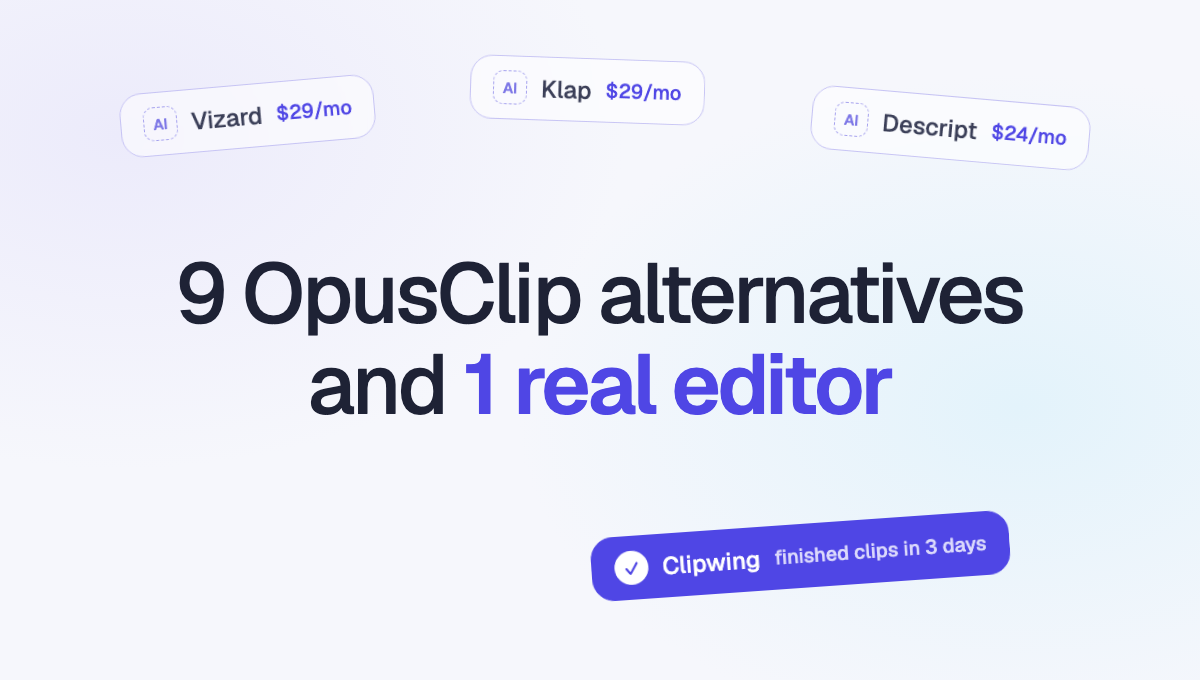
For the closest swap, try Vizard: it does the same job for the same $29 a month. If you edit the whole episode too, use Descript. If you record in Riverside, its Magic Clips are already in your plan. And if you're tired of fixing what any AI clipper gives you, hand the episode to an editor.
OpusClip alternatives at a glance
Prices are from each tool's own pricing page, checked on November 16, 2026. "From" is the lowest paid plan, billed monthly.
| Tool | Best for | Paid plans from | Free plan |
|---|---|---|---|
| Vizard | The closest swap for OpusClip | $29/month | 60 credits a month, 720p |
| Klap | Paying per clip, not per minute | $29/month for 100 clips | No |
| Descript | Editing the full episode and the clips | $24/month | 60 media minutes a month |
| Riverside | Shows you already record in Riverside | $29/month | Yes, with a watermark |
| Submagic | Captions and effects on short videos | $19/month | No |
| CapCut | Doing the edit yourself, cheaply | Varies by region | Yes |
| Quso.ai | Clipping plus social posting | $29/month | 75 credits a month |
| 2short.ai | The lowest price for long videos | $9.90/month | 30 minutes a month |
| Munch | Picking clips by trends and keywords | $38/month | No |
| Clipwing | Finished clips without doing the edit | $799.99/month | First video free |
For reference, OpusClip itself is free with a watermark, $15 a month on Starter and $29 a month on Pro.
Why people leave OpusClip
Most people who look for an alternative have hit one of these:
- The picks miss the point. The AI finds moments that sound exciting but don't make sense on their own, so you end up fixing the start and the end of most clips.
- The free plan is limited. Exports carry a watermark and media expires after 3 days.
- They want a different workflow. Some want to edit the full episode in the same tool. Others want captions with more style, or to stop editing at all.
The tool to pick depends on which one is yours.
1. Vizard
Vizard works the most like OpusClip. You upload a long video, it finds the highlights, reframes them to vertical, adds captions and lets you fix each clip in a simple editor.
- Price: free with 60 credits a month (720p exports, files kept for 3 days). Creator is $29 a month, or $14.50 a month billed yearly. Business is $39 a month.
- Limits: uploads up to 10 hours and 30GB on paid plans. A 30-minute video uses about 30 credits.
- Pick it if you like how OpusClip works but want 4K exports or a second opinion on the picks.
2. Klap
Klap charges per clip you make, not per minute you upload. A 3-hour stream costs the same as a 10-minute video.
- Price: Basic is $29 a month for 100 clips, Pro is $79 for 300, Pro+ is $189 for 1,000. Yearly billing halves each price.
- Limits: source videos up to 3 hours. No free plan.
- Pick it if you upload long streams or many episodes and want a predictable bill.
3. Descript
Descript is a full editor first. You edit the video by editing its transcript, and its clip feature pulls short clips out of the same project.
- Price: Hobbyist is $24 a month with 10 hours of media, Creator $35 with 30 hours, Business $65 with 40 hours. Yearly billing is cheaper. The free plan gives 60 media minutes a month.
- Pick it if you also edit the full episode: cutting filler words, fixing audio and publishing the long version.
- Skip it if you only want clips. It asks for more of your time than a clipper does.
4. Riverside
Riverside is a recording studio with Magic Clips built in. Record the episode, and the clips are made from the separate tracks it already has.
- Price: Pro is $29 a month ($24 billed yearly), Grow is $39 a month. Magic Clips are on every plan, including the free one with a watermark.
- Pick it if you already record in Riverside. Uploading a finished video from somewhere else makes less sense.
5. Submagic
Submagic is best known for its captions: animated words, emojis, zooms and sound effects. Its Magic Clips feature cuts short clips from a long video.
- Price: Starter is $19 a month ($12 billed yearly) with 5 Magic Clips runs a month. Pro is $23 a month and Business $41, both billed yearly.
- Limits: on Starter, videos you caption can be up to 2 minutes.
- Pick it if you already know which moments you want and mainly need them to look sharp.
6. CapCut
CapCut is a full editor on phone and desktop with a big library of templates, effects and captions. It has AI tools, but most of the work is yours.
- Price: the editor is free. CapCut shows paid plan prices in the app, and they change by region and device.
- Pick it if you want full control and have the time to edit each clip yourself.
- Skip it if you post several clips a week. The hours add up fast.
7. Quso.ai
Quso.ai (formerly vidyo.ai) clips long videos and posts them to your social accounts from the same place.
- Price: free with 75 credits a month and a watermark. Lite is $29 a month, Essential $39, Growth $49, with much lower yearly prices.
- Pick it if you want clipping and a posting calendar in one tool.
8. 2short.ai
2short.ai is the cheapest way to run a lot of hours through an AI clipper. It's built for talking-head videos.
- Price: free for 30 minutes of video a month. Lite is $9.90 a month for 5 hours, Pro $19.90 for 15 hours, Premium $49.90 for 50 hours.
- Pick it if price matters more than anything else and your videos are one or two people talking.
9. Munch
Munch picks clips by what's trending and which keywords fit your topic, and writes a post for each one.
- Price: Essential is $38 a month with 500 minutes, Premium $60 a month with 1,000 minutes. No free plan.
- Pick it if you're a marketing team that cares about topics and keywords as much as the clip itself.
10. Clipwing: when no AI clipper is enough
Every tool above gives you candidates. You still watch them, fix where each one starts and ends, check the captions and post them. An AI clipper hands you a shortlist, not finished clips.
Clipwing does that part for you. You send a video, and a real editor sends back finished clips:
- AI flags the interesting parts. Then a content manager picks the moments worth posting, and an editor cuts the clips, adds captions and applies your brand kit.
- Clips are ready in 3 days. You review them, leave comments on the exact second and approve. Revisions are unlimited.
- Autopilot is $799.99 a month with unlimited requests. Your first video is free, so you can see the clips before you pay.
It costs more than any tool on this list. It makes sense when your hours are worth more than the difference. Our OpusClip vs Clipwing comparison does the math: past about $119 an hour, finished clips cost you less than doing it yourself.
How to pick between AI tools: run the same 15-minute segment through 2 or 3 of them. Count how many clips you'd post as they are and how long the rest take to fix. The one that needs the least fixing is the right one for your show.
Try it on one episode
Your first video in the app is free. Send one recording and get finished clips back. Put it next to what your AI clipper gave you, and see which one you'd post.